In this guide4 chapters
Four Greenbet Login Methods
Greenbet gives you four login tabs: By email, By phone, By code and Social networks. They all open the same account. Pick the one that matches how you signed up.
Tap LOG IN in the top right corner of greenbet.gg. The form opens on the By email tab. Each tab has its own icon, and the active one turns dark green. Under every form there's a handy "Don't have an account? Register" link in case you're new.
Login with Email or Account ID and Password
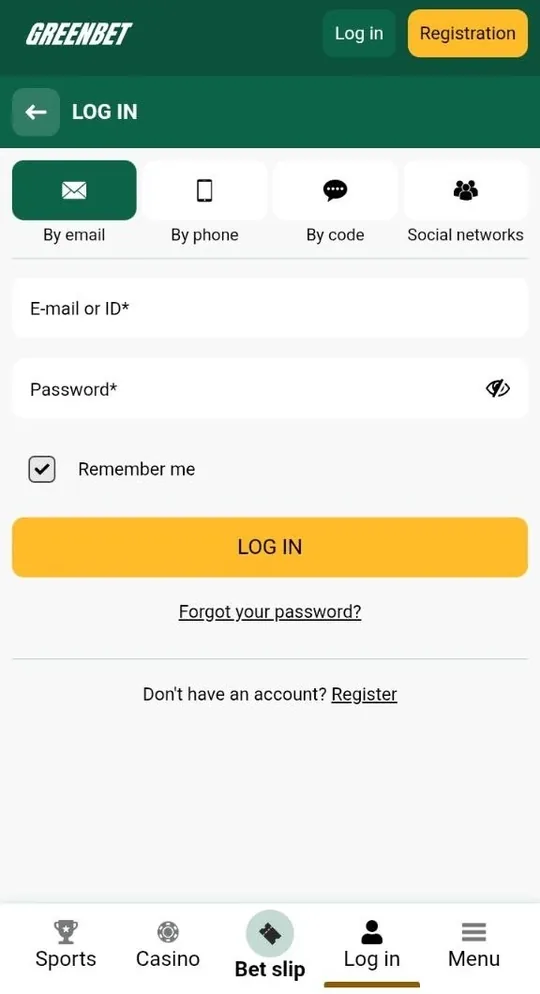
This tab works with your email or your account ID, plus your password. One field handles both, which is great news for one-click players.
- Tap LOG IN.
- Stay on the By email tab.
- Type your email or account ID in the "E-mail or ID" field.
- Enter your password.
- Tap the yellow LOG IN button.
There's a small eye icon in the password field. Tap it to see what you typed and catch any typos before you log in.
The "Remember me" box comes ticked by default. Keep it on your own device and you'll skip the login screen next time. Using a shared computer? Just untick it first.
Login with Phone Number and Password
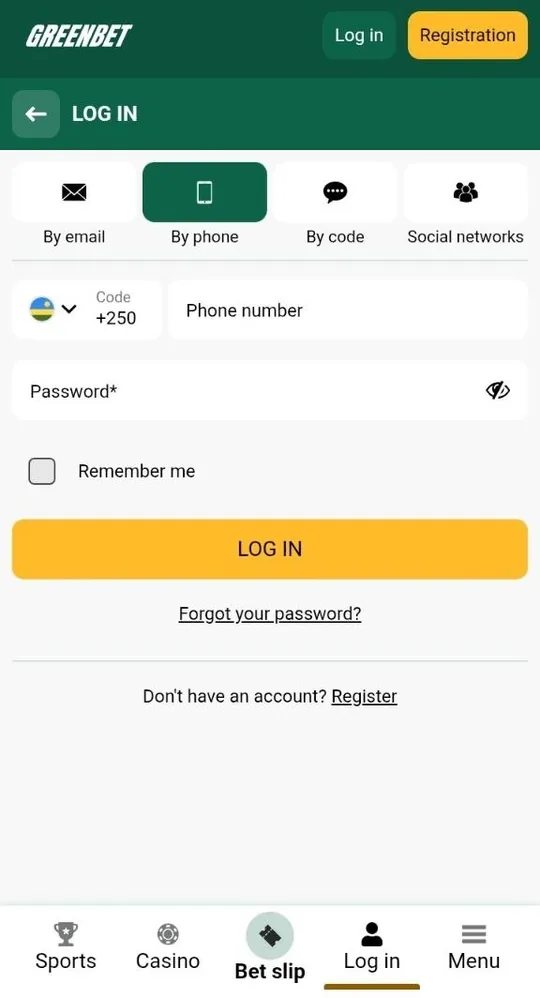
Phone login uses your mobile number and your password. It's the natural choice if you signed up by phone.
- Open the By phone tab.
- Check the country code on the left.
- Enter your phone number.
- Type your password and tap LOG IN.
The country code field has a little flag and a drop-down arrow. During the review, it showed the Kenyan flag and +254. Give it a quick glance before you type your number. A wrong code is the most common reason this tab doesn't work.
Passwordless Login with SMS Code to a Verified Number
Code login gets you in without a password. Greenbet sends a one-time code to your phone and you type it in.
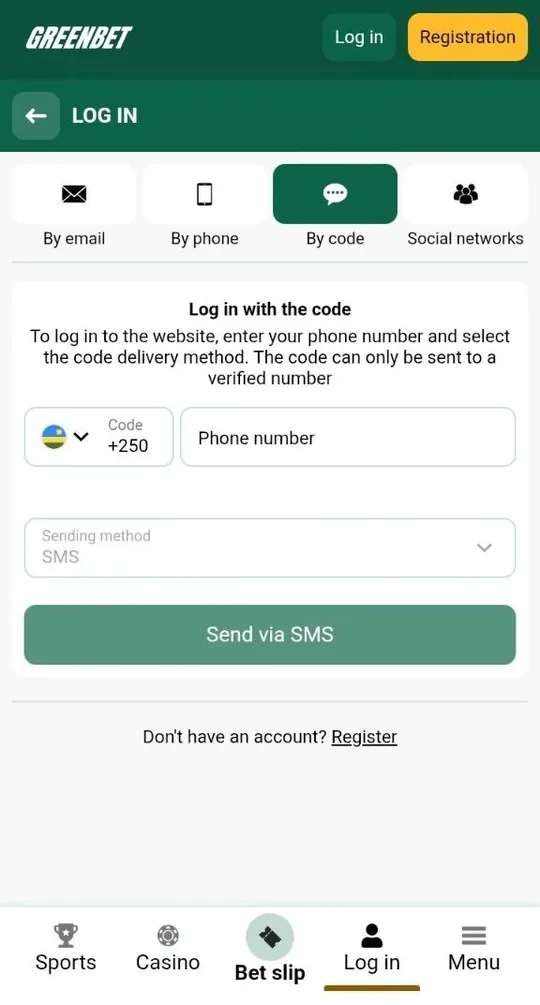
- Open the By code tab.
- Enter your phone number.
- Leave SMS as the sending method.
- Tap "Send via SMS".
- Enter the code from the message.
This tab works only with a verified number. Greenbet says so right in the form. That's a nice security bonus, because nobody can send your code to another phone.
It's also the quickest fix if you forget your password. On a phone, it's even smoother, since the SMS arrives on the same device.
Login Through Telegram, Google and X Accounts
Social login lets you jump in with Telegram, Google or X. No Greenbet password needed.
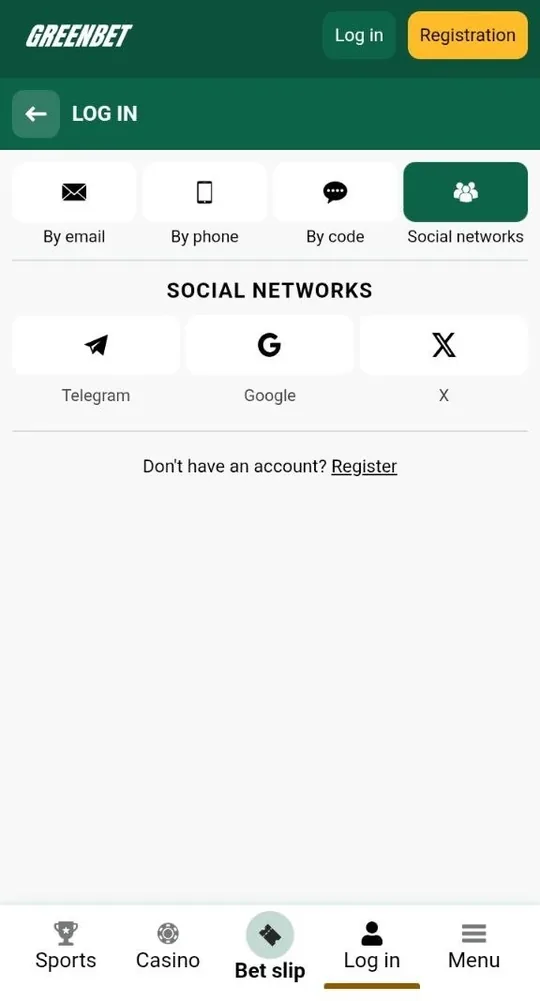
- Open the Social networks tab.
- Choose Telegram, Google or X.
- Confirm access in the pop-up window.
This works for accounts you created through the same network. Keep access to that Telegram, Google or X account, because it's your key to Greenbet.
Login Method Comparison by Required Data and Speed
All four methods are quick. The table shows what each one needs.
| Login tab | What you enter | Password | Best for |
|---|---|---|---|
| By email | Email or account ID | Yes | Email and one-click accounts |
| By phone | Phone number | Yes | Phone accounts |
| By code | Verified phone number + SMS code | No | Anyone with a verified number |
| Social networks | Telegram, Google or X | No | Social accounts |
Swipe sideways to see every column →
Want the fastest option? Social login takes one tap. Want the most flexible one? Verify your phone number, and the By code tab works whenever you need it.
Greenbet Password Recovery Procedure
Forgot your password? Click "Forgot your password?" under the LOG IN button and follow the steps on screen.
- Tap LOG IN on greenbet.gg.
- Open the By email or By phone tab.
- Click "Forgot your password?".
- Follow the instructions.
- Set a new password and log in.
Got a verified phone number? You can skip the reset completely. Open the By code tab, request an SMS code and log in. Then set a fresh password in the Security section of your account menu.
| Your situation | Fastest way back in |
|---|---|
| You have access to your email or phone | "Forgot your password?" link |
| Your phone number is verified | SMS code login |
| You signed up with Telegram, Google or X | Log in with the same network |
| You lost access to both email and phone | Write to [email protected] |
Common Login Problems and Solutions
Most login problems have a simple fix. They usually come down to a typo, an unverified number or, rarely, a blocked account.
Here's a tip that saves time: if one tab doesn't work, don't keep guessing passwords. Check that you're on the right tab for your account first.
Incorrect Email, Account ID or Password Errors
These errors mean your details don't match the tab you picked. The table covers the usual suspects.
| Problem | Likely cause | Quick fix |
|---|---|---|
| Wrong password | A typo or wrong keyboard layout | Tap the eye icon to check |
| Account not found | Email typed on the phone tab, or the reverse | Switch to the right tab |
| ID doesn't work | ID typed in the phone field | Use the By email tab |
| Number not recognised | Wrong country code | Check the flag and code |
Still stuck? Use "Forgot your password?" and set a new one.
SMS Login Code Delivery Failures
If your SMS code doesn't arrive, your number probably isn't verified yet. Greenbet sends login codes only to verified numbers.
- Check that your number is confirmed in your profile.
- Check the country code in front of the number.
- Make sure your phone has signal and can receive SMS.
- Wait a moment and request the code again.
If your number isn't verified, log in with your password first. Then confirm the number in Personal profile. From then on, code login works smoothly. Bonus: a verified number is also what Greenbet needs to credit your welcome bonus.
Blocked Account Appeals to [email protected]
If your account is blocked, Greenbet has a dedicated address for it: [email protected]. Write there with your account ID or email and a short description of the problem.
Greenbet's terms name a few reasons for blocks:
- More than one account per person, family, address or IP address.
- Bonus terms that weren't followed.
- ID documents that weren't provided when requested.
- A suspicion of fraud.
Have your ID ready when you write. Greenbet may ask for a photo of you holding your ID with your face visible. Sending it quickly helps the team sort things out faster.
| Topic | Contact |
|---|---|
| Blocked account | [email protected] |
| Security concerns | [email protected] |
| General questions | [email protected] |
| Quick help | Live chat, the green icon in the bottom right corner |
Frequently Asked Questions
Here are quick answers to the questions players ask most about logging in.
Where can I find my Greenbet account ID?
Greenbet gives you an account ID when you register with one click. Save it right away, and if you've lost it, ask support at [email protected].
Can I log in to Greenbet without a password?
Yes. Use the By code tab with a verified phone number, or log in through Telegram, Google or X.
Why does the SMS login code not arrive on my phone?
Codes go only to verified numbers. Confirm your number in your profile and check the country code.
Can I use one Greenbet account on the website and the app?
Yes. One account works on the website, the Android app and the iOS web app.
What should I do if my Greenbet account is blocked?
Write to [email protected] with your account ID or email. Have your ID documents ready in case Greenbet asks for them.
Can I log in with Google if I registered by email?
Social login works for accounts created through the same network. If you signed up by email, use the By email tab.